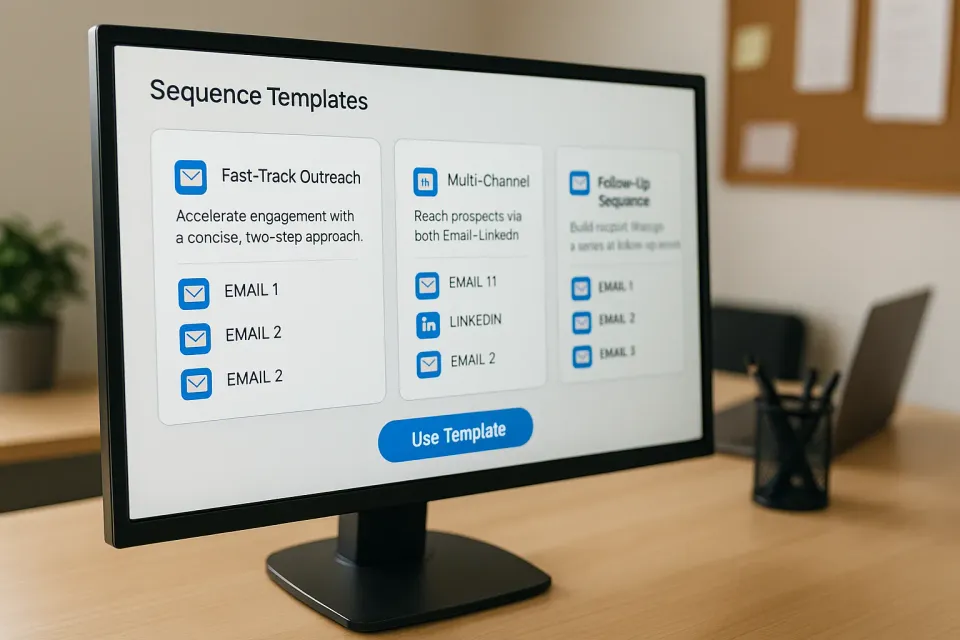
After analyzing hundreds of recruitment campaigns at FidForward, we’ve identified three sequence templates that consistently outperform traditional outreach. These battle-tested templates can achieve response rates between 25% and 40% when properly customized. The same principles apply to improving user onboarding - strategic email sequences and timing make all the difference.
The difference between random outreach and strategic sequences is significant. Recruiters using structured templates report:
Let’s dive into the exact templates that deliver these results.
This template is designed for urgent hiring needs where you need to reach many candidates quickly while maintaining a personal touch.
Subject line:
Position at the most interesting companyEmail body:
Hey {{firstName}},

I was looking for the most interesting profiles in Europe and came across yours :)

I'm working with one of the most promising companies based out of Spain,
founded by a pair of former executives of large, well-known scale-ups -
some of the smartest people I know!

They recently raised a pre-seed round to create the future of eCommerce
with AI - and your profile fits what they're looking for.

If you are interested to hear more, can we talk this week or next?

-Your name
Wait 24 hours, then…
Connection request message:
Sent you an email, now we're connected :)This template uses the same messaging as Template 1 but with a different approach to sending. It’s perfect for regular recruitment campaigns where you want more control over personalization.
The email content remains identical to Template 1, but this version allows for individual sending and customization. You can enhance personalization by:
{{personalizedMessage}} variable with candidate-specific detailsBest for:
This is our highest-performing template, designed for hard-to-fill positions and passive candidates who need multiple touchpoints.
Step 1 - Initial email (Day 0): Same as Template 1
Step 2 - Wait 48 hours Longer wait shows respect for their time
Step 3 - LinkedIn connection (Day 2):
Sent you an email, now we're connected :)Step 4 - Wait another 48 hours Gives time for connection acceptance and consideration
Step 5 - LinkedIn follow-up message (Day 4):
{{firstName}}, did you have time to see my email?This template achieves the highest response rates because it leverages several psychological principles:
Use the Fast-track approach when:
Use the Balanced approach when:
Use the Persistent follow-up when:
| Template | Typical Response Rate | Time to Complete | Best Volume |
|---|---|---|---|
| Fast-track | 25-30% | 24 hours | 200-500 candidates |
| Balanced | 25-30% | 24 hours | 50-150 candidates |
| Persistent | 30-40% | 96 hours | 30-100 candidates |
The system supports three key personalization variables:
{{firstName}} - The candidate’s first name from their profile{{lastName}} - The candidate’s last name{{personalizedMessage}} - A custom message you can add for each candidateWhile the templates show {{firstName}} in the examples, you can enhance personalization by adding a {{personalizedMessage}} that references specific details about the candidate’s background, skills, or experience.
Use the {{personalizedMessage}} variable to add these role-specific details while keeping the main template consistent.
Beyond “Position at the most interesting company,” these subject lines consistently perform:
{{firstName}}, saw your impressive profile”{{firstName}}”Remember to keep subject lines personal but not overly specific since you’re limited to the three supported variables.
Send initial emails:
LinkedIn messages:
Track these metrics for each template:
If your metrics fall short, test:
These three templates aren’t just theoretical frameworks – they’re proven sequences that consistently deliver results. Whether you need speed, balance, or persistence, there’s a template designed for your specific recruitment challenge.
Start with one template, customize it for your industry and role, then measure results. Within a week, you’ll see why structured sequences transform recruitment outcomes.
Remember: the best template is the one you actually use consistently. Pick one, commit to it for at least 50 candidates, then optimize based on your results.
Ready to implement these templates? You can deploy them with one click using FidForward.
Can I copy these templates word-for-word? You can, but we don’t recommend it. Use them as a framework. Add your company’s voice and specifics about the role to make them authentic.
How do I customize templates for my industry? Adjust the language tone. For tech, focus on the “stack” and “challenge.” For sales, focus on “market opportunity” and “growth.” For creative, focus on “vision” and “brand.”
Should I include a salary in the first email? It’s often a good hook. “We’re looking for a lead dev ($150k-180k)…” filters out people who are too senior or too junior immediately and builds trust. Read more on job descriptions.
What if a candidate replies negatively? Thank them for their time and move on. A “no” is better than silence because it allows you to close the loop and focus on other candidates.
How often should I update my templates? Test and tweak constantly. If a template’s open rate drops below 30%, it’s time to refresh the subject line or the offer.